 Sarvak
FREE — DESKTOP APP
One window.
Every format
you open.
Sarvak is a free, native viewer and editor for Markdown, PDF, Jupyter notebooks, LaTeX, JSON/YAML/XML, images, and 50+ code languages — rendered instantly, offline, with no account and no cloud.
Why Sarvak
Instant open
Launches in under a second. No plugins to load, no workspace to index — click a file, see it.
Under 6MB, not 1.5GB
A native binary a fraction the size of an Electron IDE, built on Tauri instead of a bundled browser.
Tabs & split view
Keep several files open as tabs — pin the ones you keep coming back to, reopen ones you closed by accident — and compare two side by side without leaving the viewer.
Edit when you need to
Light Markdown editing with explicit save, crash-recovery drafts, and formatting shortcuts, for the moments viewing isn't enough.
Keyboard-first
Command palette, quick open, and find-in-files — jump to any command or file without touching the mouse.
How opening these files actually goes today, compared to the tools most people already reach for first:
| Sarvak | VS Code + extensions | OS Quick Look / Preview | Web viewers | |
|---|---|---|---|---|
| Open a Jupyter notebook | Built in, no kernel needed | Needs a Python extension + interpreter | Not supported | Upload required, needs internet |
| Render LaTeX math | Built in (KaTeX), offline | Needs a LaTeX extension + a full TeX install (gigabytes) | Not supported | Upload required, needs internet |
| Open a PDF | Built in | Needs a PDF extension | Built in | Upload required |
| Open a 500MB+ log or CSV | Streams from disk, stays responsive | Loads the whole file — often stalls or crashes | Not supported | Rejected past the upload size limit |
| Browse Parquet or SQLite files | Built in — table view, schema, read-only SQL | Needs a specific extension per format | Not supported | Upload required, needs internet |
| Inspect a HAR trace or TLS certificate | Decoded fields, not raw JSON/DER | Opens as raw text, no decoding | Not supported | Uploads the file to a third party |
| Keep the file on your machine | Always — no upload, no account | Yes, local | Yes, local | No — file must be uploaded |
| Typical install size | Under 6MB | Full IDE install, several hundred MB, plus a separate extension per format | — | — |
Formats supported
One free viewer for every file you open
Sarvak replaces a drawer of single-purpose apps — a Markdown editor, a PDF reader, a JSON viewer, a Jupyter server — with one free, native tool that opens all of them instantly.
Markdown & documents
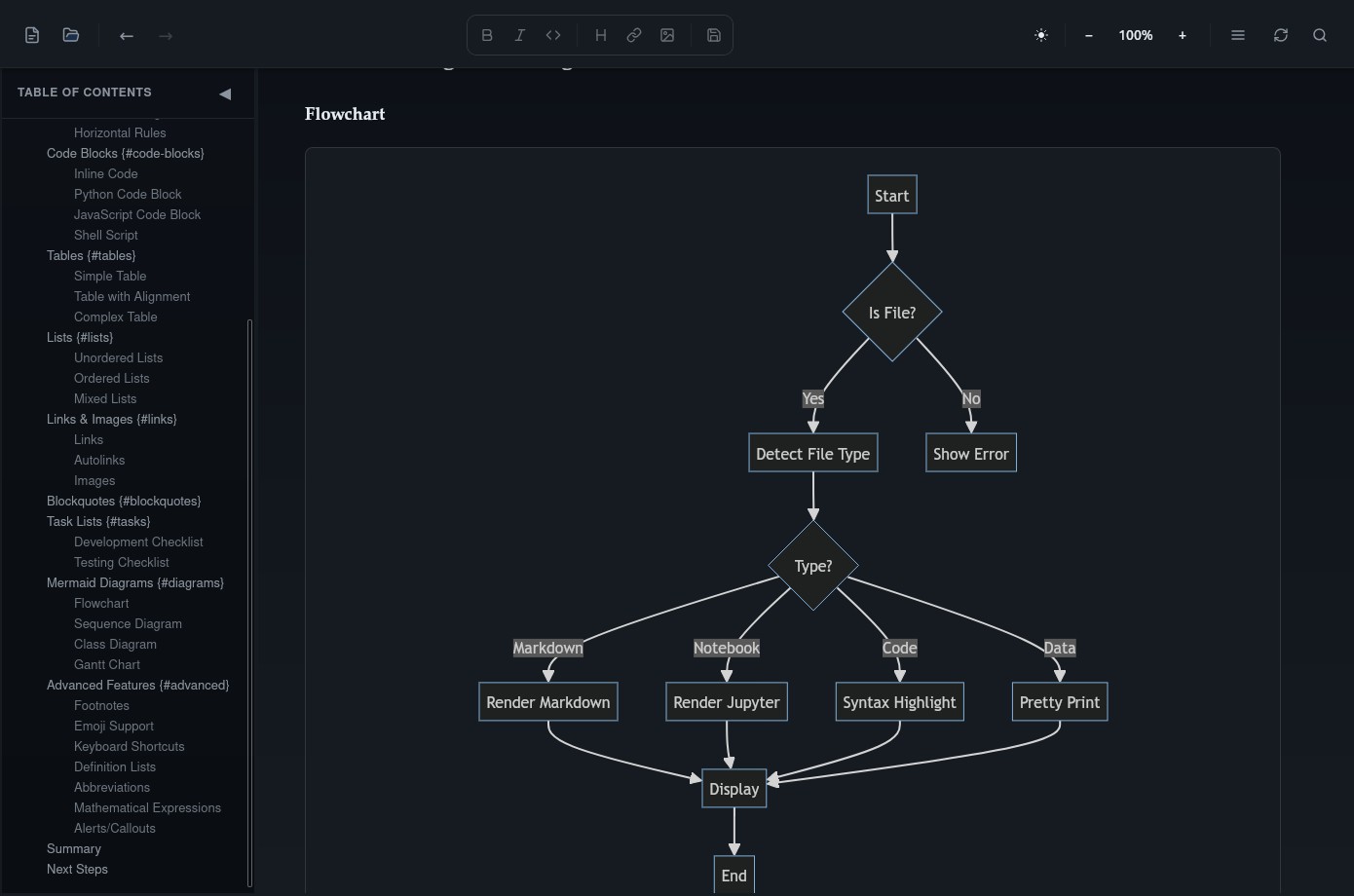
A markdown viewer and reader that renders your files live — with explicit save, crash-recovery drafts, Mermaid diagrams, and GitHub-flavored syntax built in, so there's no separate app needed just to open a stack of markdown files.
Logs
Severity-colored ERROR/WARN/INFO/DEBUG/TRACE lines with a level filter — including on multi-gigabyte files streamed in from disk, so a huge server log stays scannable instead of one wall of monospace.
PDF viewer
Open, zoom, paginate, and export PDFs with a built-in viewer — no Adobe Reader or browser tab required.
Jupyter notebooks
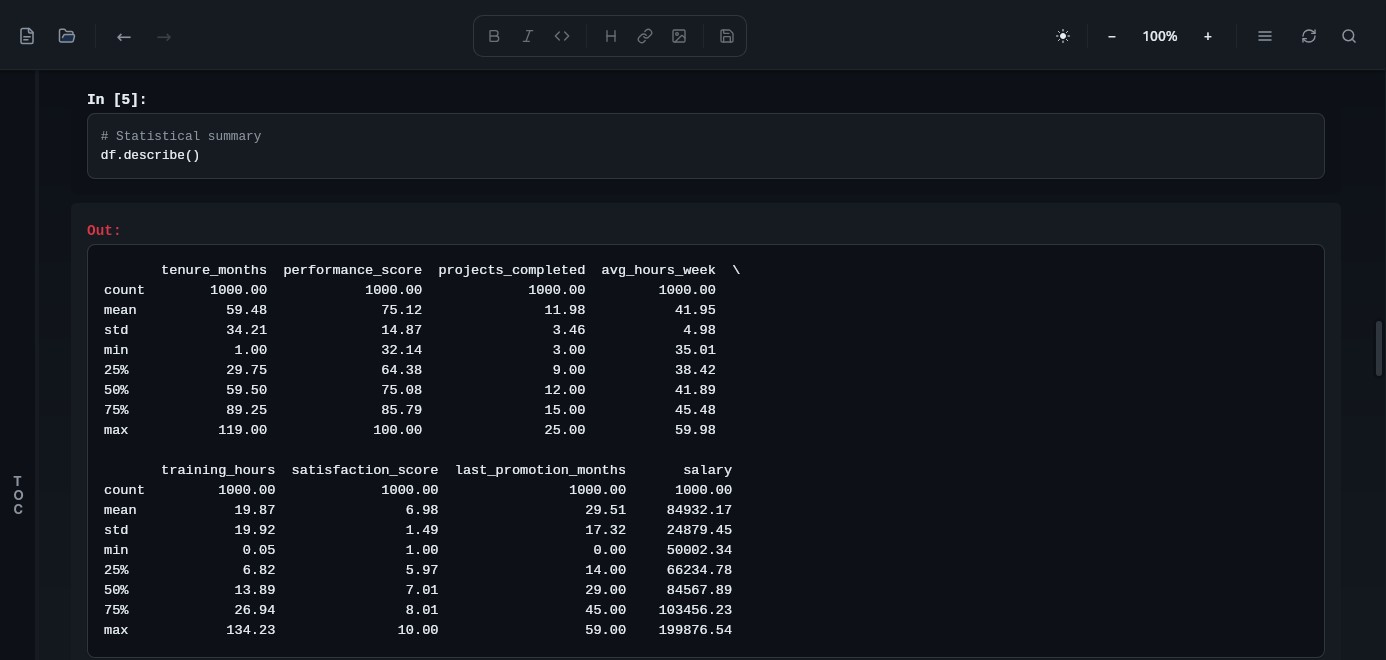
An offline .ipynb viewer — markdown cells, syntax-highlighted code, and outputs render instantly, without starting a Jupyter server or Python kernel.
Structured data
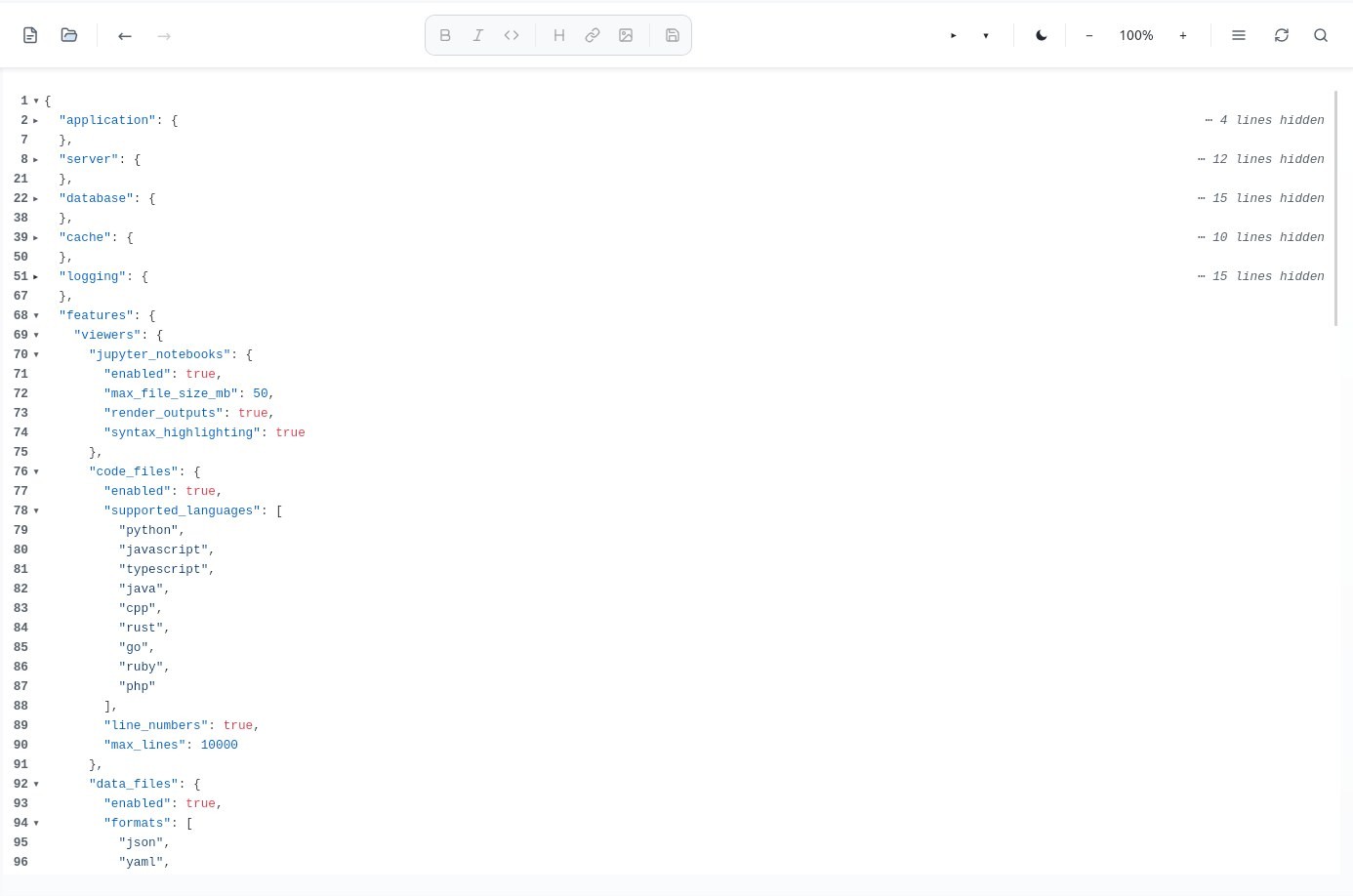
A JSON formatter and pretty-printer with syntax highlighting and collapsible folding, plus viewers for YAML/XML config files and a searchable table view for CSV/TSV.
Code — 50+ languages
Syntax highlighting, line numbers, and code folding for every language you're likely to open in a hurry.
LaTeX & math
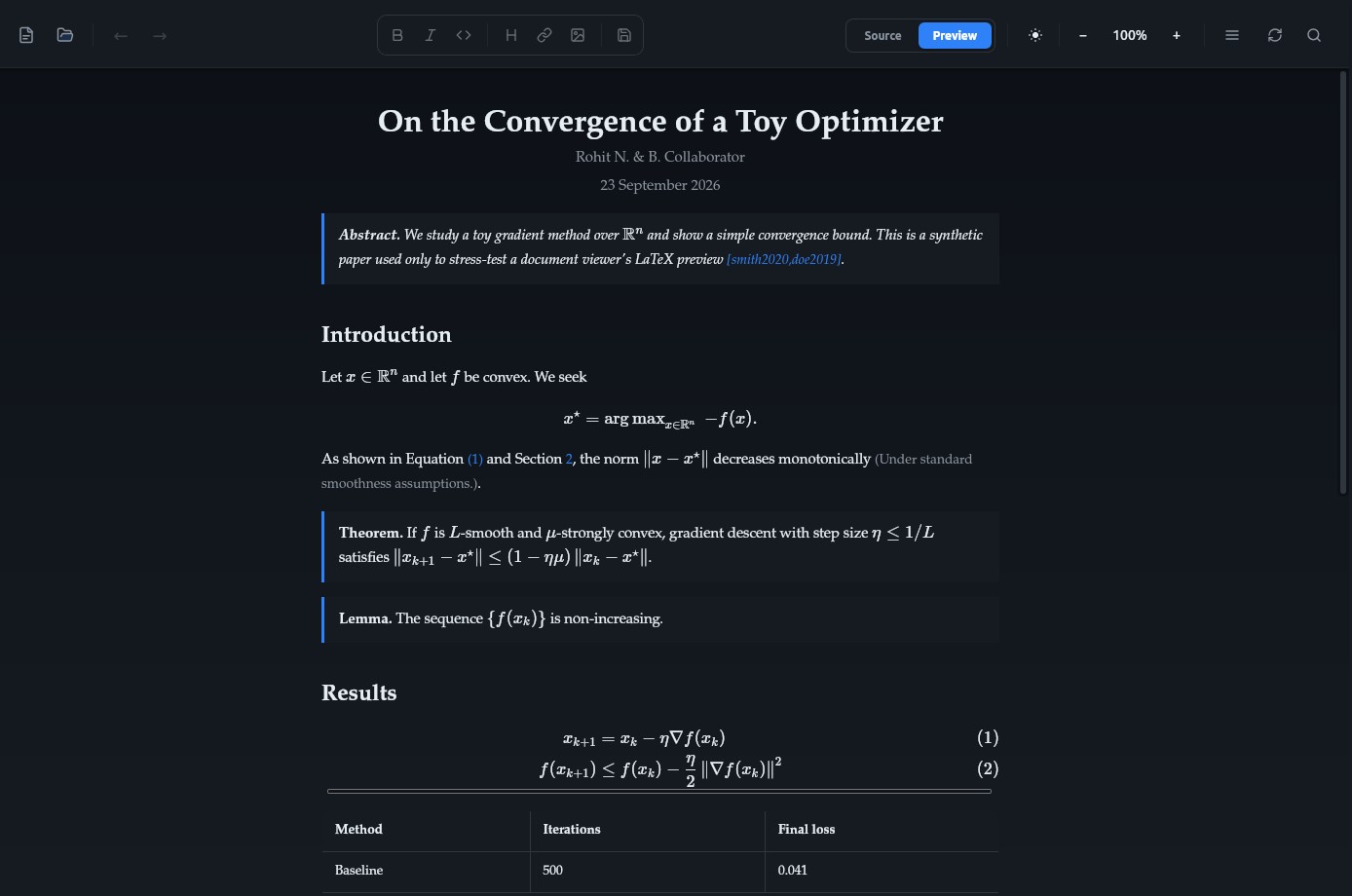
A LaTeX (.tex) viewer with a rendered preview alongside the highlighted source, plus KaTeX-powered math rendering — inline and display equations, align/gather blocks — directly inside Markdown files too.
Images
A native image viewer with zoom and pan, including TIFF decoding and a HEIC/HEIF fallback decoder for the platforms whose system codec doesn't already handle it.
Databases & data files
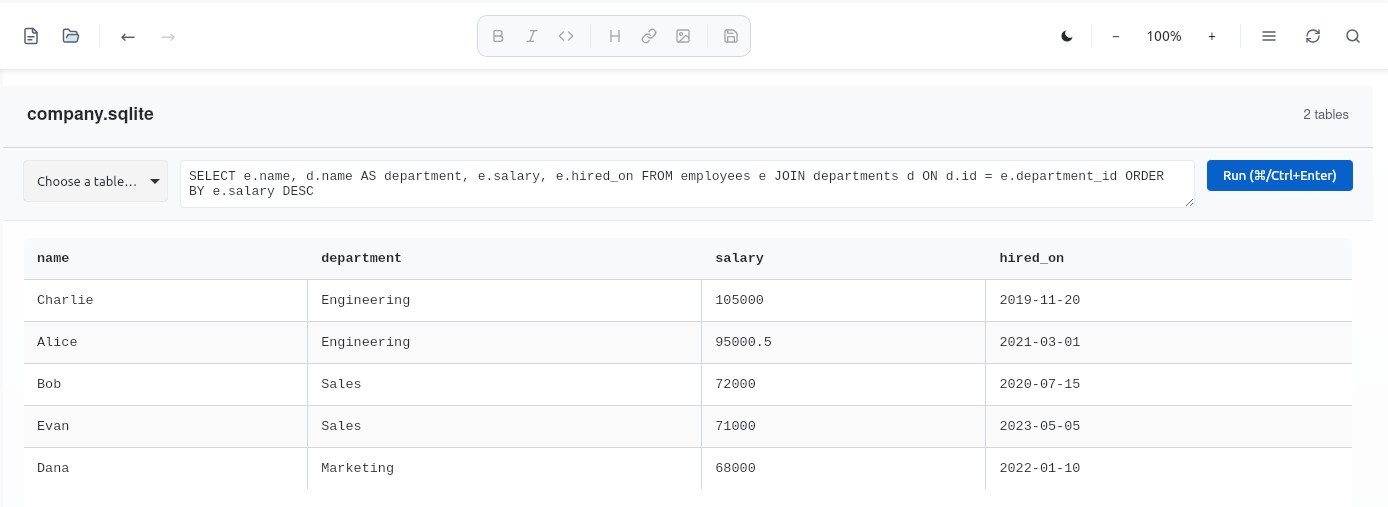
A Parquet table viewer (including GZIP/ZSTD-compressed files from Spark, Pandas, or DuckDB) and a SQLite browser with a schema/table list and a read-only SQL query box — inspect a database file without installing a database client.
Archives
Browse a zip or tar archive's contents — names, sizes, and full folder structure, rendered as an indented tree with paging for large archives — without extracting anything to disk.
Dev & security files
Inspect HAR network traces (request/response headers and bodies), decode X.509 certificates (subject, issuer, validity, SANs, fingerprint), and read lockfiles and manifests — Cargo.lock, go.sum, yarn.lock, Dockerfile, Makefile, and more — that ship without a recognizable file extension. Any other binary falls back to a hex/ASCII viewer instead of a blank screen.
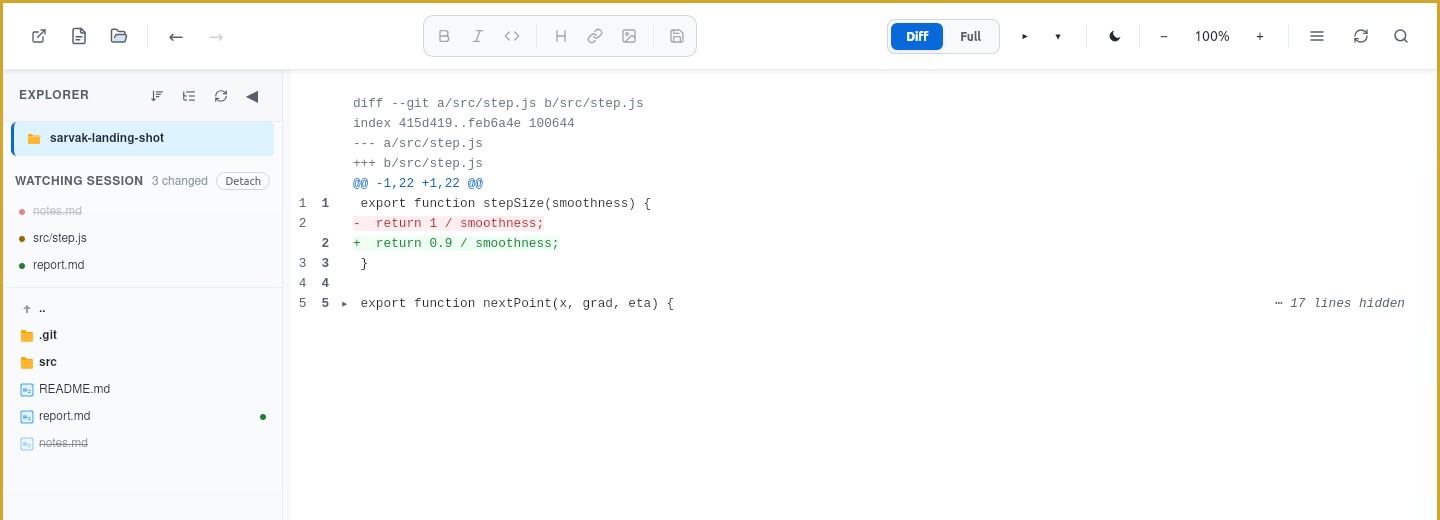
Running Claude Code? Sarvak can attach to it and show only what changed — see the full AI agent integration details.
FAQ
Common questions
What is a Markdown file?
A Markdown file (.md or .markdown) is plain text written with lightweight formatting syntax — # for headings, **bold**, - for lists — that renders into formatted text without needing a word processor. It's the default format for READMEs, documentation, and notes across GitHub, static site generators, and note-taking apps. Any text editor can open one, but you'll just see the raw #s and *s; a markdown viewer like Sarvak renders it the way it's meant to look.
Is Sarvak really free?
Yes, Sarvak is free to download and use today, with no account required. A paid tier with additional features is planned for the future.
Can Sarvak open Jupyter notebooks without Jupyter installed?
Yes. Sarvak renders .ipynb files natively — markdown cells, code cells with syntax highlighting, and outputs — without running a Jupyter server or Python environment.
Does Sarvak view and edit PDF files?
Yes. Sarvak includes a built-in PDF viewer with zoom, page navigation, and export/print, so you don't need a separate PDF reader.
Can I edit Markdown files, or is Sarvak view-only?
Sarvak has a built-in Markdown editor with formatting shortcuts, explicit save, and crash-recovery drafts, in addition to its read-only viewers for code, data, and notebook formats.
Does Sarvak render Mermaid diagrams in Markdown?
Yes. Sarvak renders Mermaid diagrams — flowcharts, sequence diagrams, and more — directly inside Markdown files, alongside GitHub-flavored syntax and live formatting.
Does Sarvak render LaTeX math equations?
Yes. Sarvak renders LaTeX math with KaTeX, both inline and display equations — including align and gather blocks — inside Markdown files, and in a rendered preview for standalone .tex documents, with no LaTeX installation required. It also resolves \input and \include, so papers split across multiple files render correctly, not just single-file documents.
Does Sarvak compile full LaTeX documents, or just render the math?
Sarvak doesn't run a LaTeX compiler — there's no TeX Live or MacTeX install involved, and it isn't a substitute for compiling a document to a final PDF with custom packages and page layout. Instead, it renders a live preview of your .tex source directly: KaTeX-powered math, structural blocks like sections and lists, and resolved \input/\include files, all instantly and offline. For quickly reading a paper or checking equations without installing a multi-gigabyte TeX distribution, that's usually all you need.
Does Sarvak format and pretty-print JSON?
Yes. Sarvak includes a built-in JSON viewer with pretty-printing, syntax highlighting, and collapsible folding for nested objects and arrays, plus similar viewers for YAML and XML.
Can Sarvak handle very large files?
Yes. Sarvak streams code, log, CSV, and TSV files up to roughly 1GB, reading them in chunks instead of loading the whole file into memory, so huge files open without stalling or crashing the app.
Does Sarvak have a command palette or keyboard shortcuts?
Yes. Sarvak includes a command palette (Ctrl/Cmd+Shift+P), quick open for fuzzy file search (Ctrl/Cmd+O), and project-wide find-in-files, so you can navigate without touching the mouse.
Does Sarvak work offline?
Yes. Sarvak is a native desktop app that reads local files directly. It doesn't require an internet connection, an account, or a cloud service to open, view, or edit your files.
What platforms does Sarvak support?
Sarvak ships native binaries for Windows, Linux (.deb, .rpm, and a portable .AppImage), and both Apple Silicon and Intel Macs — most builds are under 6MB, a fraction of the size of Electron-based alternatives.
Can Sarvak open Parquet and SQLite files?
Yes. Sarvak includes a Parquet table viewer (including GZIP/ZSTD-compressed files, not just the uncompressed default) and a SQLite database browser with a schema/table list and a read-only SQL query box — no database client or Python environment required.
Can Sarvak browse the contents of a zip or tar file?
Yes. Sarvak lists a zip, tar, or tar.gz archive's contents — file names, sizes, and full folder structure as an indented tree — without extracting anything to disk. It's browse-only: Sarvak doesn't create or modify archives.
Can Sarvak inspect SSL/TLS certificates?
Yes. Sarvak decodes X.509 certificates (.pem, .crt, .cer) and shows subject, issuer, validity dates, subject alternative names, and the SHA-256 fingerprint. Private key files are recognized but deliberately not decoded.
Download
Get Sarvak
macOS
Checking release…
Download .dmg or Intel MacApple Silicon (M1/M2/M3) by default — Intel build linked below
Built by an independent developer, not a company. Sarvak never phones home — no telemetry, no account, files never leave your device. Builds aren't notarized by Apple or signed with a Windows certificate yet, so first launch triggers a warning — see below for macOS, or click "More info → Run anyway" on Windows SmartScreen. Neither means the file is unsafe.
macOS says "Sarvak is damaged and can't be opened" — here's why, and the fix
This isn't actual damage. macOS quarantines anything downloaded through a browser, and since Sarvak isn't notarized by Apple (that requires a paid $99/year developer account), Gatekeeper refuses to open it instead of just warning you. Removing the quarantine flag fixes it permanently for that copy of the app:
xattr -cr /Applications/Sarvak.app
Paste into Terminal (Applications → Utilities → Terminal) after moving Sarvak.app to Applications, then open it normally.
Or skip the warning entirely — install from a terminal
curl -fsSL https://sarvak.dev/install.sh | sh
macOS & Linux — auto-detects .deb/.rpm/AppImage/.dmg, and doesn't trigger the quarantine flag on macOS
irm https://sarvak.dev/install.ps1 | iex
Windows PowerShell